 Code Aeternum
CommandDock
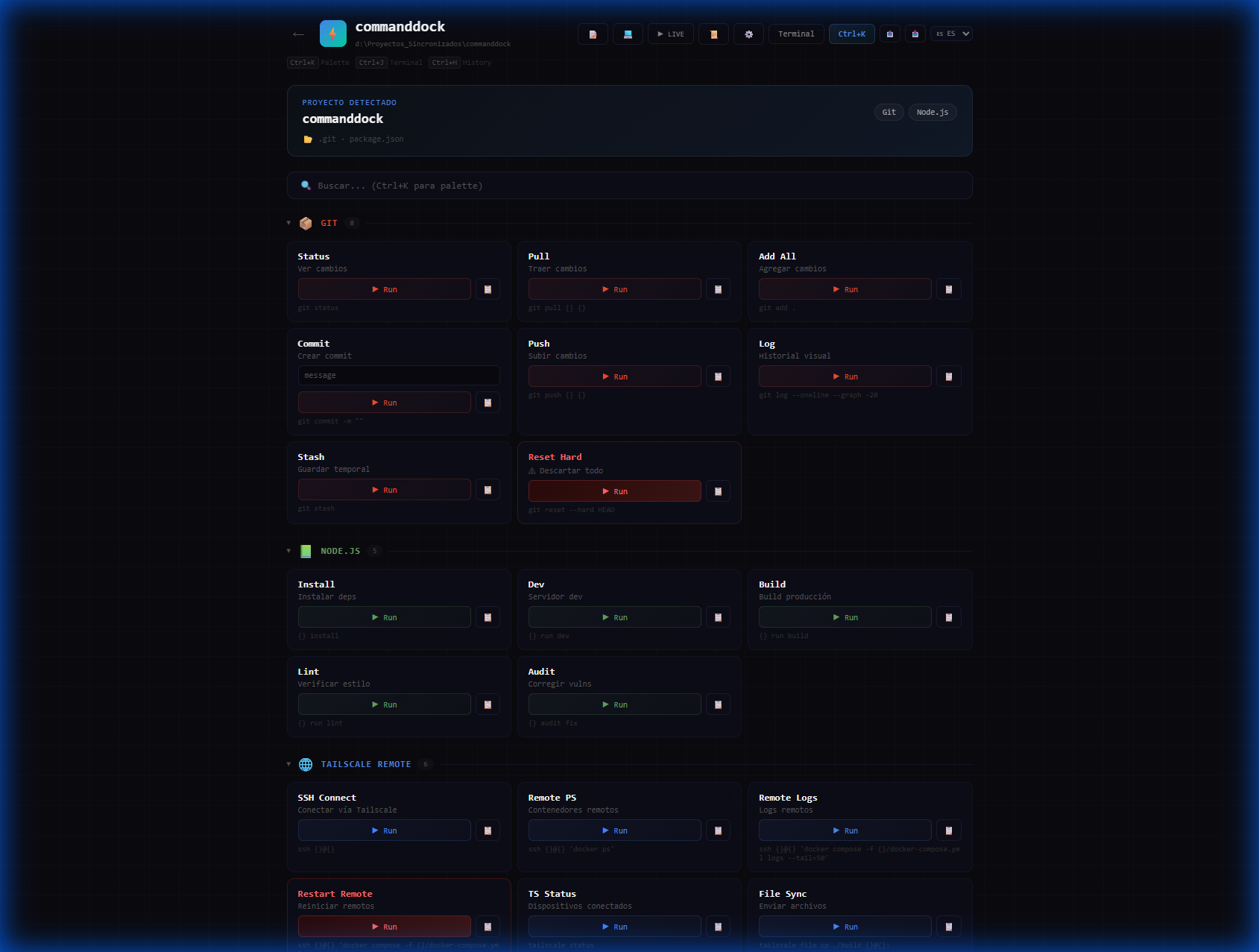
The contextual command panel for developers. Detects your project, shows the right commands, and runs them — all in one click.
Electron + React · Windows, macOS & Linux · v1.0.1 Changelog
Packed with Features
Auto-Detection
Scans your workspace and detects Git, Node.js, Docker, Python, Rust, Go, Java, Flutter, and 20+ stacks automatically.
One-Click Execution
Run any command directly from the panel. Real execution via Electron's child_process — no copy-paste needed.
Custom Variables
Define {{branch}}, {{host}}, {{user}} and more. Variables are injected into commands with a live preview.
Command Palette
Press Ctrl+K to fuzzy-search across all commands. Find and run anything in under a second.
Smart Workspace
Drag & drop project folders, browse directories, or enter paths manually. Re-scan to pick up new projects instantly.
Favorites & Shortcuts
Star your most-used commands. Run favorites instantly with Ctrl+1 through Ctrl+9 keyboard shortcuts.
Multilingual
Built-in Spanish and English support with instant language switching. All UI strings fully translated.
Export / Import
Back up your entire config — variables, favorites, custom commands — as a single JSON file. Restore on any machine.
Dry Run Mode
Preview commands without executing. See exactly what would run — perfect for dangerous operations like git reset.
How It Works
Install
Download CommandDock and run the installer. Works out of the box — zero configuration required.
Open a Project
Point CommandDock to your workspace. It scans the directory and auto-detects every project and its stack.
Run Commands
Click ▶ Run on any command. Output streams in the built-in terminal in real time.
Download CommandDock
Free & open source — pick your platform
Windows
Portable EXE · 92.5 MB
DownloadWindows Installer
NSIS Setup · 92.7 MB
DownloadmacOS
DMG (ARM64) · 108 MB
DownloadLinux
AppImage · 112.8 MB
DownloadAll releases available on GitHub Releases
Have Ideas?
We'd love to hear your feedback! Report bugs, suggest features, or just say hello.
Support Development
CommandDock is completely free and open source. If you find it useful, consider buying us a coffee!
Ready to supercharge your workflow?
Join developers who trust CommandDock for their daily command-line needs.